11 Results
-
 Adobe Photoshop EssentialsTechnologyThis foundational course introduces the most commonly used tools, menus, and panels in Adobe Photoshop CC. Students will learn essential techniques for working with selections, layers, and masks to edit, retouch, and enhance existing images or create original digital compositions. By the end of the course, participants will be able to produce professional-quality images suitable for business, personal projects, or creative portfolios.Access to Adobe Photoshop software required. Software Requirements: Students are responsible for purchasing their own software for this course. Trial versions of Adobe software are sometimes available on the Adobe company website.There is no school discount through LERN. More information on Adobe Creative Cloud software can be found at adobe.com This course is included in the Graphic Design Software Essentials Certificate course.2026-2027 CE School Year
 -
 Adobe InDesign EssentialsTechnologyAdobe InDesign is the industry-standard page layout application, integrating seamlessly with Adobe Illustrator and Photoshop to produce a wide range of multi-page documents, including brochures, flyers, books, and magazines. This course introduces the foundational tools, menus, and panels used to create and manage multi-page layouts. Students will learn to apply and manage color, insert images and illustrations, and format text effectively. The course concludes with advanced topics in typography, styles, and document settings, culminating in the creation of professional, print-ready PDF files. Access to Adobe InDesign software is required. Software Requirements: Students are responsible for purchasing their own software for this course. Trial versions of Adobe software are sometimes available on the Adobe company website.There is no school discount through LERN. More information on Adobe Creative Cloud software can be found at adobe.com This course is included with the Graphic Design Software Essentials Certificate course.2026-2027 CE School Year
 -
 HTML FundamentalsTechnologyLearn the fundamentals of HTML and how to build web pages from scratch. This course covers the essentials of HTML coding language for creating paragraphs, headings, lists, links, images, tables, and more. By the end of this course, you’ll be able to hand-code a simple multi-page website complete with text, images, and a functional navigation bar. This course is included in the Coding Certificate course.2026-2027 CE School Year
 -
 Mastering Layout and GridsProfessional DevelopmentGreat design isn’t just about placing elements—it’s about guiding the eye through space. Understanding focal points, leading lines, and the power of negative space is essential for creating layouts that feel polished and intentional. In this course, you’ll learn the core principles of effective layout design. We’ll cover: Setting margins, bleeds, and guidelines for proper structure Using grid systems for consistency and balance Exploring layout types such as two-column, three-column, manuscript, and complex multi-column grids Applying negative space strategically to improve clarity, emphasize key content, and create visual breathing room Whether you’re designing for print or digital, these techniques will give your work a professional edge. By the end of the course, you’ll be able to create layouts that are not only visually engaging but also highly functional and easy to navigate. This course is included in the Graphic Design Foundation Certificate course. Prerequisite: Adobe Illustrator and Adobe InDesign2026-2027 CE School Year
 -
 CSS FundamentalsTechnologyIn this introductory course, you will learn how to style web pages using Cascading Style Sheets (CSS) coding language. Topics include using inline, internal, and external CSS, web typography, formatting text, working with web colors, using Google fonts, working with id and class selectors. You’ll also learn to style page elements, create layouts, and understand the CSS box model to build visually appealing, well-structured web pages. This course is included in the Coding Certificate course.2026-2027 CE School Year
 -
 Mastering Color Theory Harmony and Practical ApplicationProfessional DevelopmentColor is one of the most powerful tools in design—it sets the mood, captures attention, and strengthens communication. Effective color application goes beyond theory; it’s about making intentional choices that elevate your work. In this course, you’ll gain a strong foundation in color theory and learn how to apply it with confidence. Discover how to: Build harmonious and impactful color schemes Understand color psychology and how it influences emotion and behavior Balance contrast, saturation, and tone for maximum visual effect Avoid common color mistakes that weaken designs Through hands-on exercises, you’ll practice selecting the perfect palettes and applying color with purpose. By the end of the course, you’ll be equipped to use color not just decoratively, but strategically—transforming your designs into powerful visual experiences. This course is included in the Graphic Design Foundation Certificate course. Pre-requisite: Adobe Illustrator and Adobe Photoshop2026-2027 CE School Year
 -
 Adobe Illustrator EssentialsTechnologyAdobe Illustrator is the industry-standard software for creating vector-based illustrations and designs. In this course, students will learn the fundamental tools and techniques needed to produce professional-quality graphics for print and digital media. Topics include setting up print documents, drawing and modifying shapes, working with type and color, and effectively managing layers and artboards. Students will also learn how to create print-ready PDF files and apply best practices for designing logos, flyers, posters, banners, and business cards.Access to Adobe Illustrator software required. Software Requirements: Students are responsible for purchasing their own software for this course. Trial versions of Adobe software are sometimes available on the Adobe company website.There is no school discount through LERN. More information on Adobe Creative Cloud software can be found at adobe.com This course is included in the Graphic Design Software Essentials course.2026-2027 CE School Year
 -
 Graphic Design Foundation CertificateProfessional DevelopmentFrom ancient stone carvings to modern digital interfaces, graphic design has always been at the heart of visual communication. Whether you're creating a logo, designing a website, or laying out a publication, great design has the power to elevate your work from ordinary to unforgettable. In this course, you’ll build the skills to confidently select and apply the right design elements for any project. Learn how to create visuals that are not only beautiful but also purposeful — blending creativity and functionality for maximum impact. Registering for this certificate program will automatically enroll you in the three required courses: Typography Essentials, Mastering Layout and Grids, and Mastering Color Theory Harmony and Practical Application2026-2027 CE School Year
 -
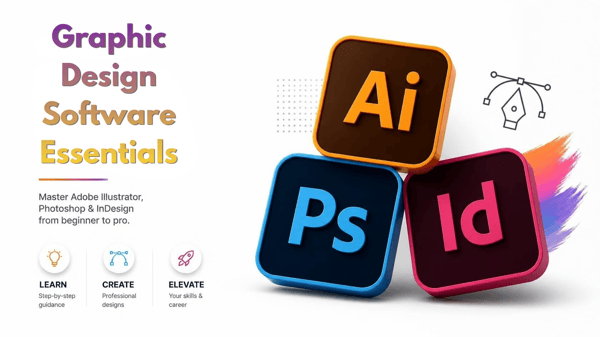 Graphic Design Software Essentials CertificateTechnologyAdobe’s suite of creative tools sets the industry standard for graphic design. In this course, you’ll learn to use: Illustrator – Create vector graphics for logos, flyers, posters, banners, business cards, and more, for both print and web. InDesign – Design professional layouts for brochures, books, magazines, and other multi-page projects, seamlessly integrating with Illustrator and Photoshop. Photoshop – Edit, retouch, and enhance images or create original digital artwork using layers, masks, and selection tools. Access to the Adobe software tools is required. Software Requirements: Students are responsible for purchasing their own software for this course. Trial versions of Adobe software are sometimes available on the Adobe company website.If you're taking the entire “Graphic Design certificate” you'll need Adobe Illustrator, Adobe Photoshop and Adobe InDesign. Otherwise you may sign up for a single software.There is no school discount through LERN. More information on Adobe Creative Cloud software can be found at adobe.com Registering for this certificate program will automatically enroll you in the three required courses: Adobe Illustrator, Adobe InDesign, and Adobe Photoshop.2026-2027 CE School Year
 -
 WordPress CertificateTechnologyWordPress is the world’s most popular content management system (CMS) for building websites and blogs. This comprehensive course guides you from the basics to advanced techniques, giving you the skills to create, customize, and maintain your own WordPress site. In the first week, you’ll learn—or refresh—essential website setup steps and required elements for a successful site. You’ll then discover how to build a simple WordPress website or blog, covering topics such as CMS fundamentals, WordPress installation and setup, page and content creation, site administration, themes (selection, purchase, installation, and setup), widgets, plugins, and more. As the course progresses, you’ll gain advanced knowledge of WordPress features and customization, including hand-coding pages with HTML, CSS, and PHP, implementing simple yet effective SEO techniques to improve search rankings, and performing essential site maintenance and backups. Upon completing the WordPress Certificate, you’ll have the skills to build and customize a WordPress website or blog, maintain it effectively, and optimize it for search engines—empowering you to create professional, fully functional websites.2026-2027 CE School Year
 -
 Coding CertificateTechnologyCoding is one of today’s most in-demand skills, opening doors to career growth and enhancing your value in the workplace. This program provides a structured path for beginners to develop essential coding skills. Start by exploring the basics of computer programming and gaining an overview of popular programming languages. Then advance to HTML and CSS, the industry-standard languages for building web pages, learning how they work together and how to hand-code and design web content step by step. Finally, dive into the advanced features of CSS, discovering powerful techniques to create visually compelling and highly functional web pages. By the end of the course, you’ll have the skills to confidently code and build professional-quality websites. Registering for this certificate program will automatically enroll you in the three required courses: Introduction to Coding, HTML Fundamentals, and CSS Fundamentals.2026-2027 CE School Year